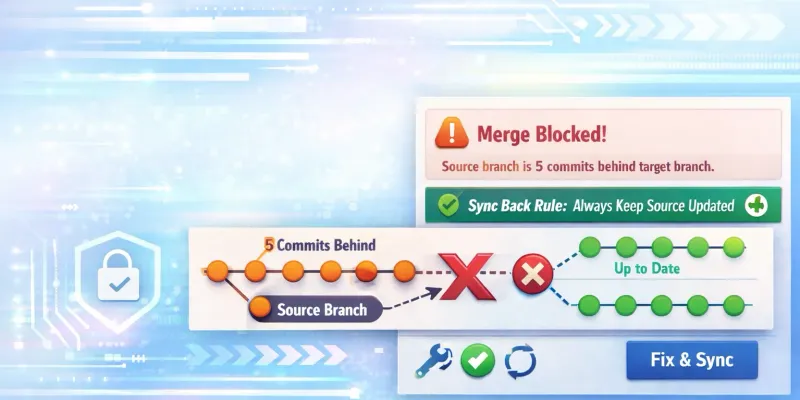
You merged a feature to develop, tested it, created an MR from develop to main, and got this:
The merge is blocked The source branch is 2 commits behind the target branch.
If this keeps happening, you’re missing one critical step.
The Problem
Typical scenario:
- Developer: Pull latest
develop, branch off, build feature, push, open MR todevelop - Admin: Approve, merge to
develop. Staging looks good. - Create MR from
developtomain: Blocked.
The merge is blocked
The source branch is 2 commits behind the target branch.
1 commit and 1 merge commit will be added to main (squashes 34 commits).
Source branch will not be deleted.
Why?
The Root Cause
After merging develop → main, you’re NOT merging main back into develop.
This is the #1 mistake that causes “source behind target” errors.
Merging develop into main creates a merge commit on main. That commit only exists on main. Now main has history that develop doesn’t.

After the merge, main has a merge commit that develop lacks. Next time you try develop to main, Git sees develop is “behind” because it’s missing that commit.
The Fix: Sync Back After Every Merge to Main
After every merge from develop to main, sync main back:
# Step 1: Switch to develop
git checkout develop

# Step 2: Get the latest from remote
git fetch origin

# Step 3: Merge main into develop
git merge origin/main

# Step 4: Push the synced develop
git push origin developBy merging main back into develop, you’re bringing that merge commit into develop. Now both branches have the
same history, and future merges won’t be blocked.
What Happens When You Run git merge
git merge origin/main may open an editor (Nano or Vim) for the merge commit message:
Merge remote-tracking branch 'origin/main' into develop

# Please enter a commit message to explain why this merge is necessary,
# especially if it merges an updated upstream into a topic branch.
#
# Lines starting with '#' will be ignored, and an empty message aborts
# the commit.
If you see Nano (the default editor):
- Merge message is at the top
Ctrl + Oto saveEnterto confirmCtrl + Xto exit
If you see Vim:
Escto enter normal mode:wqthenEnter
To skip the editor entirely:
git merge origin/main --no-editThe Golden Rule
After every merge to main, immediately sync main back to develop:
Make this a habit. Better yet, automate it.
git checkout develop
git fetch origin
git merge origin/main --no-edit
git push origin develop
Automating the Sync-Back
GitLab CI/CD Pipeline
Add this to .gitlab-ci.yml to auto-sync after merges to main:
sync-develop:
  stage: post-deploy
  rules:
    - if: $CI_COMMIT_BRANCH == "main" && $CI_PIPELINE_SOURCE == "push"
  script:
    - git checkout develop
    - git pull origin develop
    - git merge origin/main --no-edit
    - git push origin develop
  tags:
    - docker
Complete Workflow Example
Full flow from feature to production, including sync-back:
# 1. Developer creates feature
git checkout develop
git pull origin develop
git checkout -b feature/awesome-feature

# Work on feature...
git add .
git commit -m "feat: add awesome feature"
git push origin feature/awesome-feature

# 2. Create MR: feature → develop (in GitLab UI)
# Get it reviewed and merged

# 3. After feature merged to develop, create MR: develop → main
git checkout develop
git pull origin develop

# Before creating MR, ensure develop is synced with main
git merge origin/main --no-edit
git push origin develop

# Now create MR in GitLab: develop → main

# 4. After MR merged to main, SYNC BACK!
git checkout develop
git fetch origin
git merge origin/main --no-edit
git push origin develop
Why GitLab Blocks the Merge
GitLab’s merge checks prevent merging when the source is behind the target. This is a safety feature:
- Prevents overwriting commits on
main - Ensures you’ve tested against the latest production code
- Forces conflict resolution before merging
Found in Settings, Merge Requests, Merge checks:
- Pipelines must succeed: CI must pass
- All discussions must be resolved: All comments addressed
- Source branch must be up to date: Blocks if behind target
While you can disable the “Source branch must be up to date” check, this is NOT recommended. Instead, fix the root cause by syncing your branches properly.
Prevention is Better Than Cure
1. Establish the Sync-Back Rule
Team policy: Every merge to main must be followed by syncing main back to develop.
2. Use Protected Branches
Configure in GitLab:
- main: Fully protected, requires approval
- develop: Protected, allows merges from main
Quick Reference
When you see “source branch is X commits behind target”:
# Sync the source branch with target
git checkout develop          # or your source branch
git fetch origin
git merge origin/main         # or your target branch
git push origin develop
After every merge to main:
git checkout develop
git merge origin/main --no-edit
git push origin develop
If you’re in Nano editor:
Ctrl + O→Enter→Ctrl + X
If you’re in Vim editor:
Esc→:wq→Enter
Summary
“Source branch behind target” happens because main isn’t synced back to develop after merges. Fix:
-
After every merge to
main:git checkout develop git merge origin/main git push origin develop -
Make it a team habit or automate it in CI/CD
-
Never disable the merge check — fix the root cause
Related Posts
- Git Branching Strategy: A Practical Case - Complete workflow guide
- Fix Accidental Commit to Main - Recover from direct commits
- GitLab CI/CD for Astro & Cloudflare - Automate your deployments